Most "AI influencer prompt" guides show you a pretty picture and call it a day. They rarely tell you which sentence in the prompt caused the good result, or which word broke it. That gap is exactly where creators waste hours regenerating the same shot forty times.
This guide treats AI influencer prompts as engineering, not guesswork. You'll get six genuinely different, copy-ready prompts, an explanation of what each variable controls, what typically goes wrong, and how to fix it. As a documentation-based comparison, this article explores prompt engineering strategies and tool capabilities based on publicly available information, not hands-on benchmark testing. If you haven't set up a persona yet, treat the practical starting workflow as a prerequisite; this article assumes you already have a character concept and are ready to write prompts around it.
What Makes AI Influencer Prompts Actually Work
Most failed generations trace back to one problem: the prompt tries to do too many jobs in one sentence. Current best-practice guides converge on breaking a prompt into distinct blocks instead of one long paragraph, which makes it easier to isolate what changed when an output goes wrong.
The recurring technical patterns worth borrowing include explicit identity-locking phrases, camera and lens specifics, constrained lighting descriptions, and clear output specs like aspect ratio or "no text on image." These aren't stylistic flourishes; they're the levers that separate a consistent persona from a different-looking stranger in every shot.
The 7-Part Prompt Structure Worth Copying
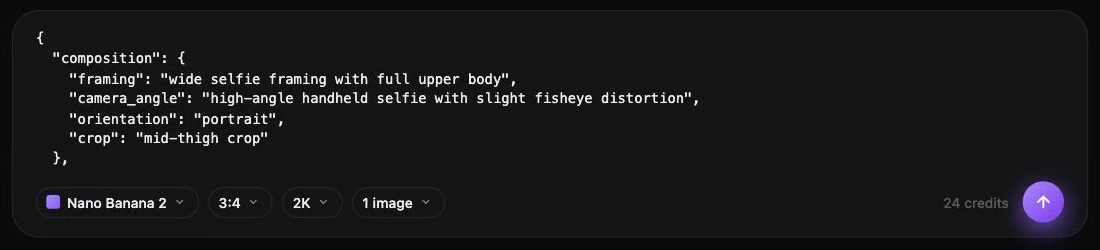
A widely used structure splits every image prompt into: persona reference, persona invariants, pose or action, setting, wardrobe, lighting and style cues, and output specifications. Written out, a prompt following this pattern looks like a checklist rather than a paragraph, which is exactly why it's easier to debug.
Think of it as a form you fill in, not prose you compose from scratch. When a generation looks off, you can usually point to a single block, often wardrobe or lighting, instead of rewriting everything.
Six Copyable AI Influencer Prompts With Worked Notes
Each prompt below is a hypothetical worked example for a fictional adult creator persona ("Maren," 27, used purely as a placeholder name). None of these represent tested outputs from a specific tool; they illustrate the prompt pattern you'd adapt inside any capable image or character tool, including Prism's Image and Character tools.
1. Anchor portrait (persona lock)
Portrait of Maren, 27, [insert reference or description], neutral studio background,
same facial structure, same eye shape, same skin tone, same hairstyle,
head-and-shoulders framing, direct eye contact, soft neutral expression,
soft window light from the left, shot on Canon EOS R5, 50mm f/1.8,
square 1:1 crop, no text on image
Variable to change: the description/reference line only. Inspect: Does the face stay recognizable if you regenerate three times? If not, the invariants block needs more specific detail (e.g., eye color, jaw shape, brow shape).
2. Golden-hour outdoor lifestyle
Same character as reference, walking on a city sidewalk at golden hour,
casual denim jacket over a white top, holding a paper coffee cup,
warm low-angle sunlight, slight motion blur in background pedestrians,
4:5 portrait crop, natural candid framing, no on-image text
Variable to change: wardrobe and action ("walking" → "sitting on a bench"). Inspect: Lighting consistency; golden-hour tones should not shift to flat daylight between shots.
3. Product placement variation
Same character, same facial structure, seated at a café table,
holding [product name] at chest height, label facing camera,
soft diffused daylight from a window, shallow depth of field,
neutral café background slightly blurred, 4:5 crop, no text overlay
Variable to change: the product and hand position. Inspect: Hands and fingers around the product. This is where many generators introduce distortion, so regenerate if fingers look fused or extra.
4. Mirror selfie archetype
Same character, mirror selfie in a minimalist bedroom, phone held at chest level
partially covering torso, casual loungewear, soft ambient ceiling light,
slightly imperfect framing as if self-shot, 1:1 crop, no visible text or logos
Variable to change: outfit and room styling only; keep pose and phone angle fixed. Inspect: Mirror reflections often duplicate or warp facial features; check the reflected face matches the "real" one.
5. Carousel single-job post (educational hook slide)
Same character, direct-to-camera pose, arms slightly open in explaining gesture,
plain light gray background, clean space reserved on the right third
for later text overlay, soft even studio lighting, 4:5 crop,
no instructional text rendered in the image itself
Variable to change: gesture and reserved space location for each carousel slide. Inspect: Confirm no baked-in text appears. Generators sometimes hallucinate captions even when told not to, which forces a redo.
6. Strategy prompt for planning a week of content (text model)
Act as a content planner for a fictional AI creator persona. Suggest a 7-day
posting plan where each post has exactly one purpose (introduction, tip,
behind-the-scenes, product context, engagement question, recurring series,
weekly recap). For each day, list the archetype (e.g. gym, café, golden-hour
outdoor), one wardrobe note, and one caption angle. Do not invent biography
details or imply a real personal history.
Variable to change: the list of archetypes and number of days. Inspect: The output for any fabricated life details or implied real-person biography; strip these before use, as guidance for synthetic personas advises against implying a fake real biography.
Common Mistakes With AI Influencer Prompts
When a prompt produces a different-looking face across scenes, follow the character consistency troubleshooting workflow before adding more descriptive text.
- Rewriting the whole prompt for small changes. This is the fastest way to lose facial consistency. Change one block at a time.
- Skipping output specs. Leaving out aspect ratio or "no text" often produces unusable crops or unwanted captions baked into the image.
- Vague lighting language. "Nice lighting" gives inconsistent results; "soft window light, golden hour, harsh flash" are specific enough for models to follow consistently.
- Multiple actions in one sentence. "Walking while drinking coffee and laughing at her phone" often confuses pose generation; pick one primary action.
- Ignoring hands and reflections. Product shots and mirror selfies are two of the highest-failure scenes; always inspect hands and reflected faces first.
- Implying a real biography. Avoid language that suggests a fake platform or a real personal history for a synthetic persona; keep captions and bios clearly framed as a creative persona.
A Practical Checklist Before You Generate
- ✅ Persona reference or description locked and reused, not rewritten
- ✅ Invariants block includes face, hair, and skin tone details
- ✅ Only one variable changed from the last successful prompt
- ✅ Lighting and camera cues are specific, not generic adjectives
- ✅ Output spec includes aspect ratio and "no text" if the image will get captions later
- ✅ Hands, reflections, and product labels checked after generation
- ✅ No implied real biography or fake platform screenshots in text prompts
How Prism Fits Into an AI Influencer Prompts Workflow
A lot of the manual work in these templates – retyping identity phrases, re-uploading references, keeping wardrobe consistent across a batch – is exactly what a character-based tool is built to reduce. Prism's creator workflows let you set up a reusable character from a description or an owned reference image, then reuse that approved reference across the Image, Video, Motion, Batch, Upscale, Prompt, and Media tools instead of re-establishing identity in every single prompt.
That doesn't remove the need to write good prompts; it removes the need to re-lock identity by hand every time. You still choose the pose, setting, wardrobe, and lighting language from the templates above; the character reference just stays consistent underneath. Other platforms take a similar approach: OpenArt's Character workspace also centers workflows around a persistent character concept rather than one-off generations, which is worth knowing if you're comparing how different tools handle persona reuse.
Choosing the Right Tool for Your Prompt Workflow
Templates are portable; the seven-part structure and archetype prompts above work in most capable image tools, not just one platform. What differs between tools is how much manual re-entry they demand and how they organize batches, video, and upscaling around a locked character. If you're still deciding which platform fits your workflow, the tool-selection comparison walks through the tradeoffs without assuming one tool wins every use case. Some creators may prefer a tool with a different batch structure or a simpler interface for single portraits, and that's a legitimate reason to keep using whatever tool already fits your habits; the prompt patterns in this guide will still apply.
Your Next Steps
Good AI influencer prompts aren't longer prompts; they're better-organized ones. Lock identity once, change one variable per shot, and inspect the same two or three failure points (hands, reflections, baked-in text) every time. Start with the core creation workflow if your character setup isn't finished yet, then come back to these six templates to build out portraits, lifestyle scenes, product shots, and a full carousel. When you're ready to go beyond single images into structured content planning, the Prism Academy is a reasonable next stop for deeper workflow guidance.