Ninety seconds. That's roughly how long it now takes a well-briefed AI creator to spot a synthetic face that used to fool almost everyone eighteen months ago. The giveaway is rarely the face itself; it's the mismatched shadow on a doorframe or skin that looks airbrushed past the point of belief. Learning how to create a realistic AI influencer in 2026 means solving exactly that gap: getting light, texture, and environment to agree with each other, not just generating a pretty face.
This matters more than ever because platforms are watching closely. Instagram has started actively limiting reach for AI influencer content that isn't labeled as synthetic, and the bar for quality and disclosure keeps rising. As a documentation-based comparison, this article explores documented features and workflows rather than hands-on benchmark results.
What "Realistic" Actually Means in 2026
Realism used to mean "does the face look like a real person." That bar has moved. Brands are already running fully AI-generated influencer campaigns at scale, and audiences have gotten sharper at spotting inconsistencies: a lighting direction that doesn't match the background, skin that's too smooth for the claimed age, or a background object that repeats oddly.
At the same time, some AI personas have become genuinely influential, including cases where AI-driven accounts shaped political conversation before their synthetic nature was revealed. That's a reminder that realism carries responsibility. The goal explored in this guide is a believable, well-crafted fictional persona, not a tool for impersonating a real person or misleading an audience about who or what they're following.
There's also a competitive layer now. Thousands of AI personas compete for formal recognition, including dedicated "AI Personality of the Year" style awards, with organizers estimating there are now more AI-driven personas online than many expect. Standing out means going beyond a static pretty face toward a cohesive, well-lit, texturally believable body of work.
How to Create a Realistic AI Influencer: The Core Workflow
This section assumes familiarity with the basics of building an AI persona from scratch. If that groundwork isn't in place yet, the practical starting workflow in how to create an AI influencer covers persona planning, naming, and initial character setup as a prerequisite before tackling realism specifically.
Step 1: Lock In a Reusable Character Reference
Consistency is the single biggest lever for realism. In Prism's creator workflows, character creation accepts either a written description or an owned reference image, and once that reference is approved, it becomes the version the tool reuses across future generations. That approved-reference approach matters because a persona whose face subtly shifts from post to post reads as fake almost instantly to a trained eye.
Original example prompt (character reference):
Woman, early 30s, fictional persona named Elin Kastrup, warm olive skin tone with visible texture and light freckling across the nose, dark brown hair with natural flyaways, slight asymmetry in the eyes, neutral studio lighting, front-facing reference pose.Step 2: Prioritize Light, Lens, and Skin Texture
Believable images depend on how light behaves, not just what's in frame. Think in terms of:
- Light direction and softness, a single soft key light from one side reads more natural than flat, even lighting.
- Lens language, describing a "50mm portrait compression" or "wide-angle environmental shot" pushes the render toward camera-realistic depth and distortion instead of an illustration-flat look.
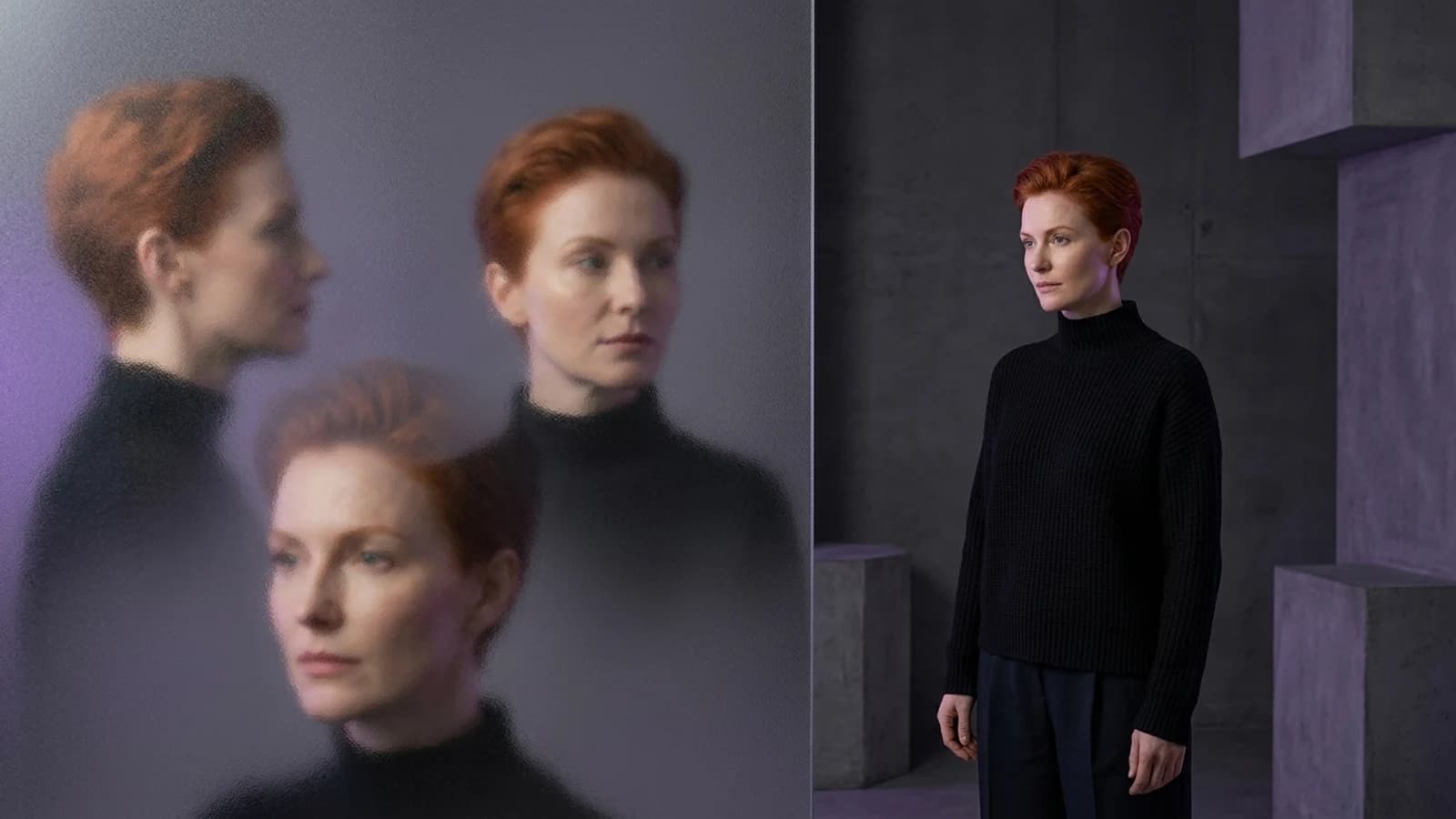
- Skin texture, pores, faint under-eye shadows, and slight color variation prevent the plastic-smooth look that instantly signals "synthetic" to viewers.
Original example prompt (editorial portrait):
Editorial half-body shot of Elin Kastrup in a linen shirt, standing near a sunlit café window, soft directional daylight from camera-left, 85mm lens compression, shallow depth of field, visible skin pores and faint freckling, natural hand resting on a ceramic mug, background softly blurred with warm bokeh.Step 3: Get Anatomy and Environment Right
Hands, ears, and the way a body interacts with furniture or props are common tells. Coherent environments, shadows that match the light source, reflections that make sense in mirrors or windows, matter just as much as the face. When building out a scene, describe the environment with the same specificity as the subject: where the light comes from, what surfaces are nearby, and how the person physically occupies that space.
Step 4: Add Motion Without Breaking Consistency
Once a persona has a solid photo set, video and motion tools extend the same reference into short clips: a hair flip, a slow walk, a hand gesture. Prism's Motion and Video tools are built around that same reused, approved character reference rather than generating a new face each time, which helps keep a persona recognizable clip to clip. Batch tools can help produce variations of a scene efficiently once the core look is approved, and Upscale tools can lift resolution for platforms that compress images heavily.
Original example prompt (motion clip):
Elin Kastrup slowly turning her head toward camera in a softly lit kitchen, morning light through sheer curtains, natural blink and subtle smile, steam rising from a mug on the counter, handheld camera feel.Step 5: Editorial Review Before Anything Publishes
No workflow replaces a human eye checking the final set. Look specifically for warped fingers, jewelry that doesn't sit naturally, shadows pointing in two directions, or backgrounds that repeat suspiciously. This review step is also where disclosure decisions get made, labeling content as AI-generated where relevant, especially given how platforms are now treating unlabeled synthetic content.
Metrics That Hint Whether an AI Influencer Reads as Real
Engagement data won't confirm realism on its own, but a few patterns are worth watching as supporting signals: comment tone (confusion or accusations of "fake" versus normal engagement), save-and-share rates on image posts versus video, and how quickly a post's reach drops after publishing on platforms enforcing AI-label rules. Treat these as a feedback loop for refining lighting and texture choices, not as proof of undetectability, and remember that some documented AI-persona engagement patterns have raised real concerns, including reports of AI influencers drawing disproportionately fawning attention from isolated audiences. That's a reason to build personas thoughtfully, not just optimize for raw engagement.
Common Mistakes to Avoid
- Overpolishing skin until it looks airbrushed rather than photographed.
- Ignoring light direction between the subject and the background, creating shadows that don't match.
- Skipping the reference-lock step, which causes the persona's face to drift across posts.
- Treating video as a separate persona instead of extending the same approved reference into motion.
- Publishing without a final human review pass for hands, props, and reflections.
- Skipping disclosure in regions or platforms where labeling AI content is expected or required.
A Practical Checklist
- ✅ Approved character reference locked before generating variations
- ✅ Lighting direction described explicitly in every prompt
- ✅ Lens language used to control depth and compression
- ✅ Skin texture and minor asymmetry included, not smoothed away
- ✅ Background and shadows checked for coherence
- ✅ Motion clips built from the same reference, not a fresh face
- ✅ Final editorial review completed before publishing
- ✅ AI-generated labeling considered where platform rules apply
Choosing the Right Tool for the Job
Prism's approach, reusable characters plus Image, Video, Motion, Batch, Upscale, Prompt, and Media tools working from one approved reference, suits creators who want a persona that stays consistent across a long content calendar. Other platforms, like OpenArt's Character workspace, offer their own character-consistency tooling and are worth exploring if a different workflow shape or feature mix fits a specific project better. Neither approach guarantees photorealism on the first attempt; both depend heavily on how carefully light, texture, and environment are described.
For a broader look at how different generators handle character work, the Higgsfield alternatives comparison walks through several tools side by side, which is useful before committing to one pipeline for a long-running persona.
Anyone building a full content calendar around a persona rather than one-off images will likely benefit from structured lessons. The Academy is a reasonable next step for going deeper on consistent character workflows.
Realistic doesn't mean flawless; it means coherent. Light that matches its source, skin that behaves like skin, hands that hold objects correctly, and a face that stays the same from post to post: those details, more than raw model power, decide whether an AI influencer reads as believable. Start with a locked character reference, write prompts that describe light and lens the way a photographer would, and never skip the editorial pass before publishing. Pair that discipline with honest labeling where platforms expect it, and a synthetic persona can be both convincing and responsible.
Next Action: Begin by defining your AI influencer's core identity and locking in a reusable character reference within your chosen platform.